English
 Arabic
 French
 Spanish
 Portuguese
 Deutsch
 Turkish
 Dutch
Dutch
 Italiano
 Russian
 Romaian
 Portuguese (Brazil)
 Greek
Greek
Season Two: Rising Popularity – TV Hits & Viewer Trends
Games |
2025-11-05 05:01:15
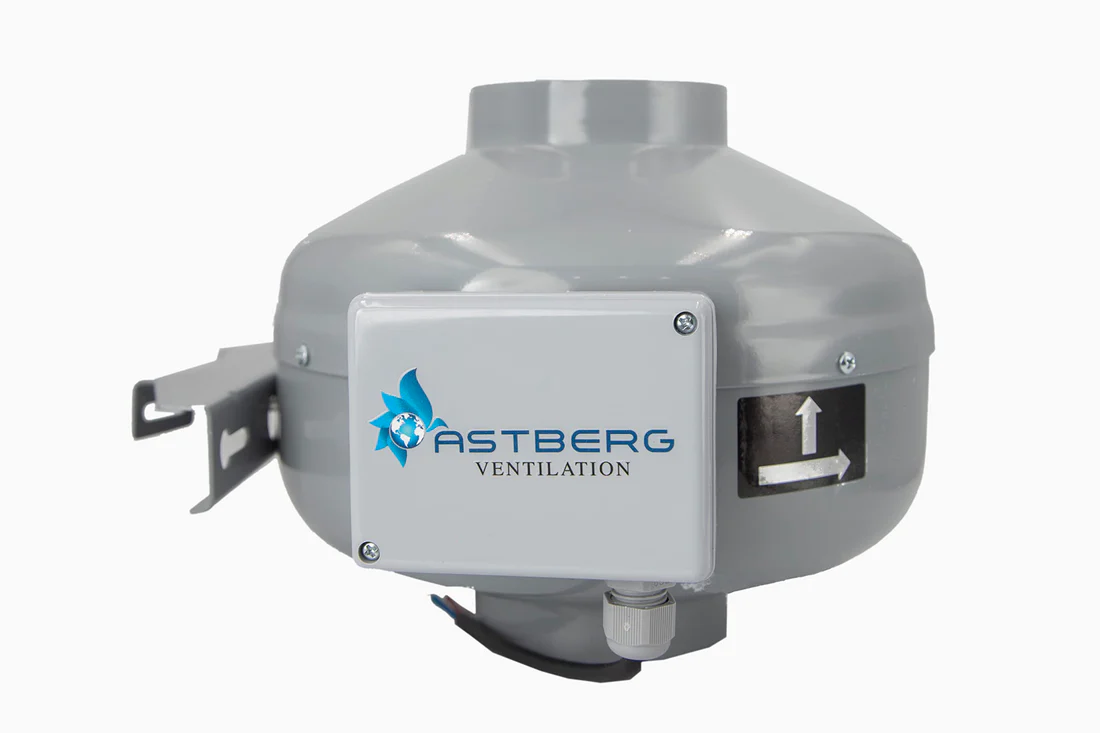
A ventilation fan is essential for maintaining healthy indoor air quality, especially in bathrooms, kitchens, and utility spaces. It removes excess moisture, odors, and airborne pollutants that can affect both comfort and structural integrity. However, one of the most common complaints about ventilation fans is noise. Loud humming, rattling, or vibrating sounds can disrupt daily routines and reduce overall comfort.
If your ventilation fan is too noisy, it may not only be irritating but also a sign of underlying maintenance or installation issues. This guide explains why ventilation fans become loud and how you can reduce noise levels for smoother, quieter operation.
Noise from a ventilation fan usually develops gradually. Understanding the causes helps you address the issue effectively.
Common reasons include:
In some cases, noise may simply be due to an older or low-quality unit that was not designed for quiet operation.
Before exploring solutions, it helps to understand how ventilation fan noise is measured. Most manufacturers use a rating called “sones.” The lower the sone rating, the quieter the fan.
If you are installing new ventilation fans, selecting a model with a low sone rating significantly improves indoor comfort.
Dust and debris accumulation are leading causes of increased noise. When dust builds up on blades and motor components, airflow becomes uneven, and the motor works harder.
To reduce noise:
Regular cleaning not only reduces noise but also improves airflow efficiency.
Over time, screws and mounting brackets may loosen due to vibration. Even minor looseness can cause rattling sounds.
Inspect:
Secure all components firmly without over-tightening. Proper fastening reduces vibration and stabilizes operation.
Sometimes the ventilation fan itself is not the source of noise. Ductwork may be vibrating or partially blocked, creating airflow resistance and sound amplification.
Ensure that:
Flexible ducts should be stretched properly and supported to prevent sagging, which can trap air and increase sound levels.
In some cases, sound travels through ductwork and resonates inside walls or ceilings. Using insulated ducting helps absorb vibrations and reduce noise transmission.
If replacing or upgrading ventilation fans, consider insulated ducts for quieter performance.
Older models often produce more noise due to outdated motor technology. Modern ventilation fans are engineered for energy efficiency and low sound output.
When choosing a new unit, look for:
Upgrading to a high-quality ventilation fan designed for quiet operation can make a noticeable difference.
Installing an oversized ventilation fan can increase noise unnecessarily. Airflow capacity is measured in cubic feet per minute (CFM). Selecting the correct CFM rating for your room size ensures balanced airflow without excessive motor strain.
As a general guideline:
Proper sizing prevents excessive speed and noise.
Vibration between the fan housing and ceiling structure can amplify sound. Installing anti-vibration pads or rubber mounts reduces direct contact and absorbs movement.
This simple solution can significantly reduce humming or buzzing noises.
If your ventilation fan continues to make grinding or squealing sounds after cleaning and tightening, the motor bearings may be worn.
Signs of motor wear include:
Motor replacement or professional servicing may be necessary in such cases.
Modern ventilation fans equipped with humidity sensors operate only when necessary. Instead of running continuously, they activate automatically when moisture levels rise.
This controlled operation reduces wear and limits unnecessary noise.
In situations where structural acoustics amplify sound, additional insulation in ceilings or walls may help. Acoustic insulation materials can dampen vibrations and prevent sound from traveling through building materials.
While this step may not be necessary in most homes, it can be useful in multi-unit residential or commercial settings.
Routine inspection prevents minor issues from developing into major noise problems. Establish a maintenance schedule that includes:
Consistent care ensures your ventilation fan remains efficient and quiet over time.
Reducing noise offers several advantages:
Quiet ventilation fans enhance relaxation, especially in bathrooms and bedrooms.
Smooth operation reduces motor strain and electricity consumption.
Lower vibration levels reduce wear on internal components.
Balanced airflow improves air quality without disrupting daily activities.
If noise persists despite maintenance efforts, consult a licensed technician. Electrical issues, duct redesign, or improper installation may require expert evaluation.
Professional servicing ensures safe and effective solutions.
A ventilation fan should improve indoor comfort, not disrupt it. Excess noise often indicates maintenance issues, improper installation, or outdated equipment.
By cleaning regularly, securing components, ensuring proper ducting, and choosing energy-efficient models, you can significantly reduce noise levels. Investing in a quiet ventilation fan enhances both air quality and everyday comfort, creating a healthier and more peaceful indoor environment.